Video library for iPhone & iPad

Sort your videos by mood.

Tag a video with a Mood while you watch. Later, pick a Mood and play what is under it. There are no folders to set up.

Free, no ads4 languagesDelete your account in-app
Calm Late night Healing
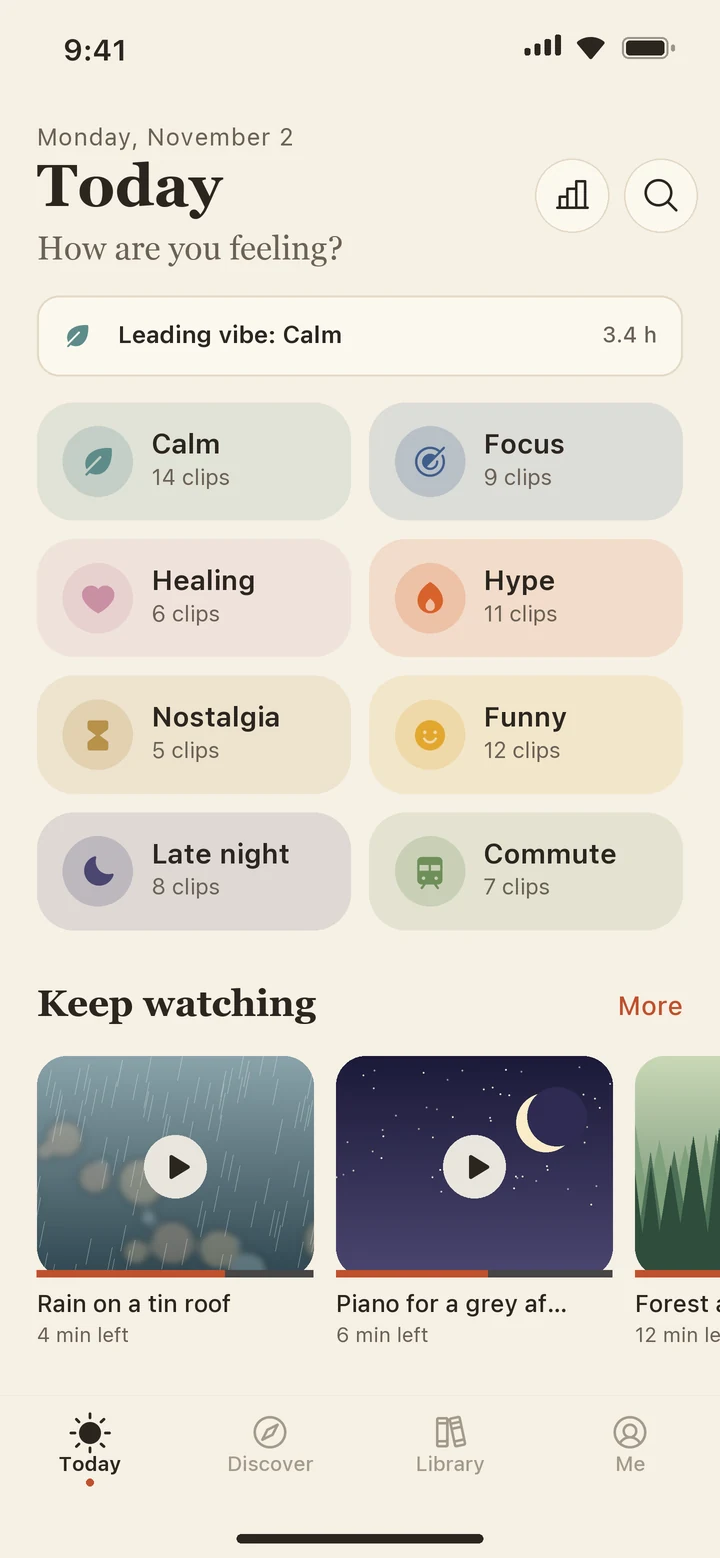
The Today tab with eight Mood tiles and a Keep watching row
Moods

Pick a Mood, see the list.

Eight Moods are built in, and you can add your own. Tap one to see what a Mood list looks like.

Calm

14 clips
    Features

    What is inside.

    Moods, Markers, loops, Smart Sets, stats, widgets and Siri.

    Markers and A–B loop

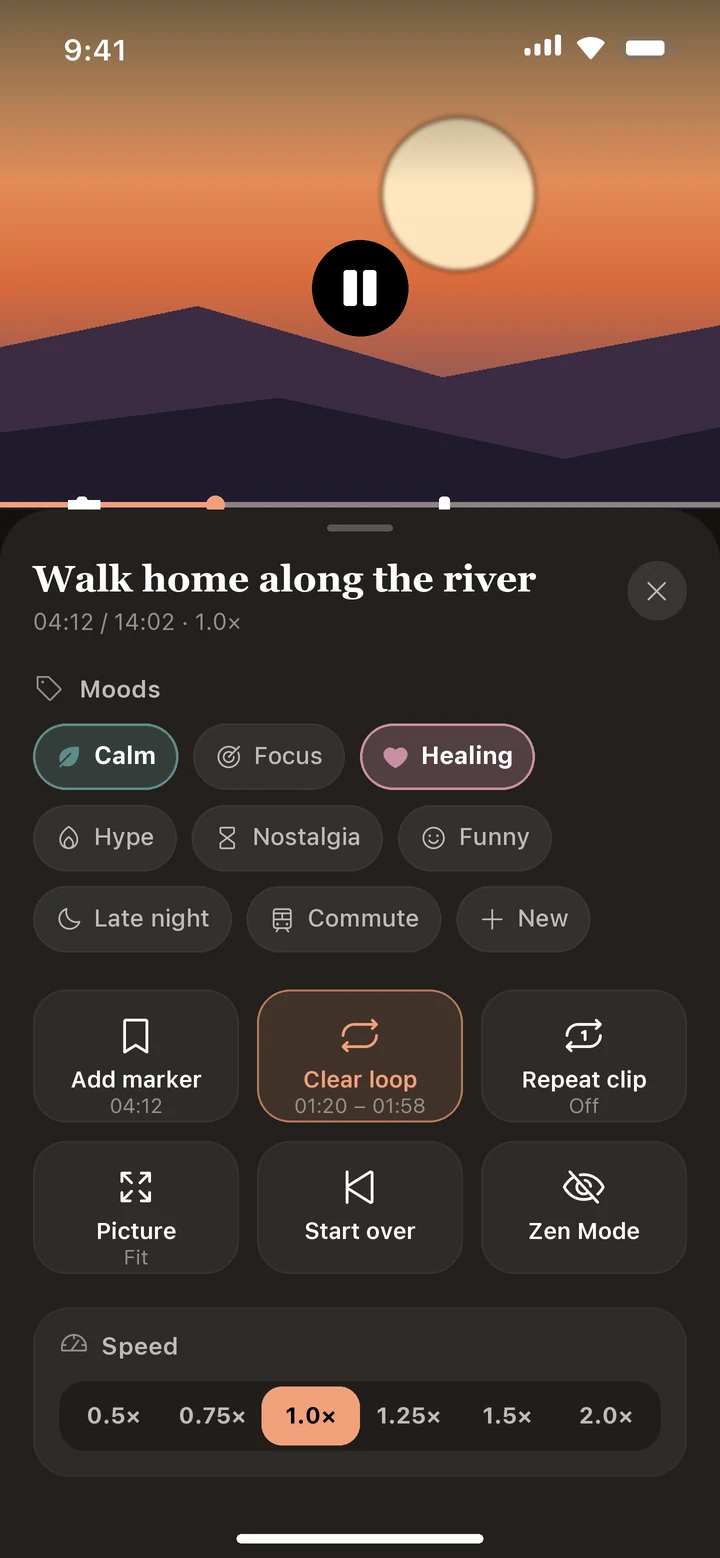
    Add a Marker at a moment you want to find again, with a note if you like. Loop a section with A–B, or repeat the whole video. Every Marker sits in one list where you can jump to it, rename it, loop it or delete it.

    A 01:20B 01:58

    Smart Sets

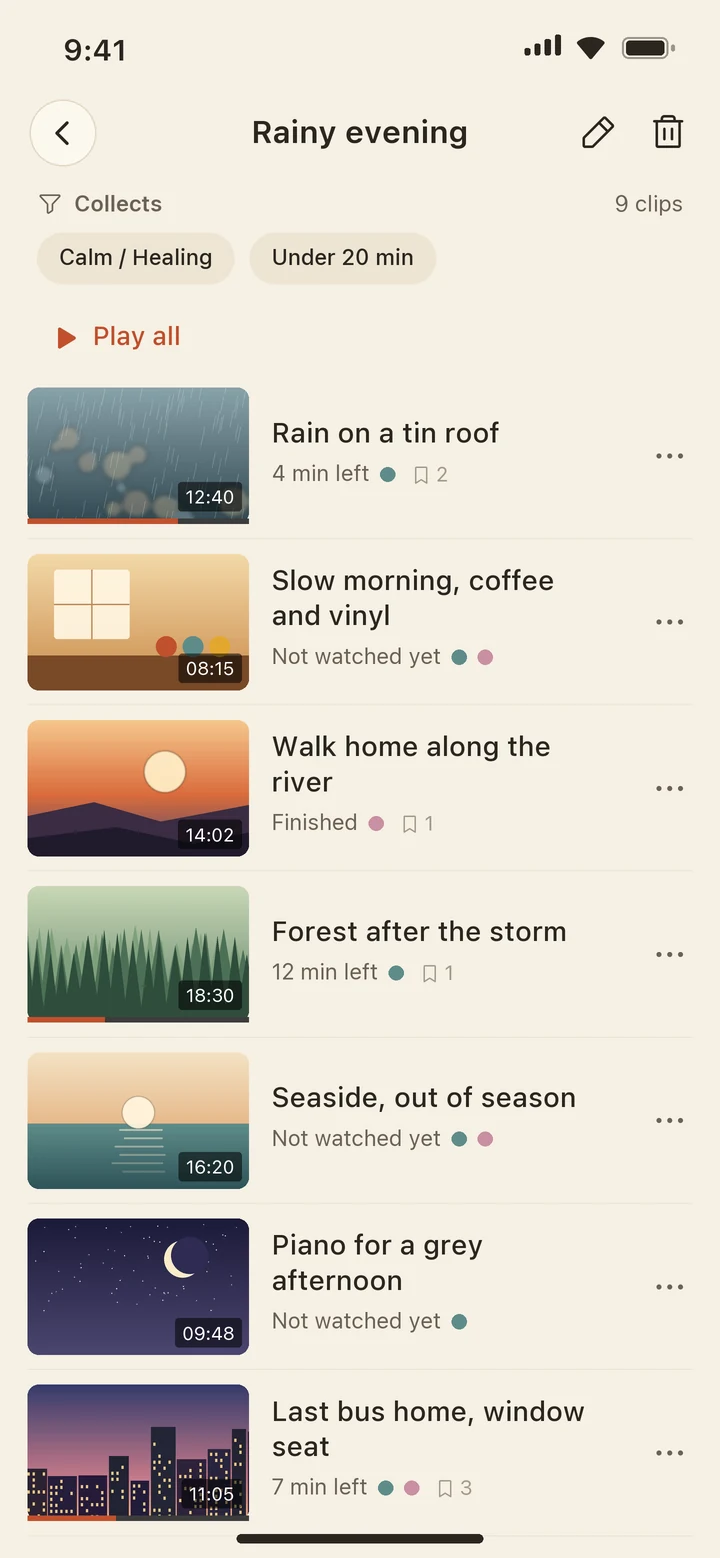
    Save a filter once. Videos join and leave the set as you tag and watch.

    CalmHealing5–20 minUnfinished9 clips match right now

    Player tools

    Speed, picture fit, cinema looks and Zen mode. The sleep timer counts down, and can stop at the end of the video.

    0.5×0.75×1.0×1.25×1.5×2.0×
    Off15 min30 minEnd of this clip

    Mood stats

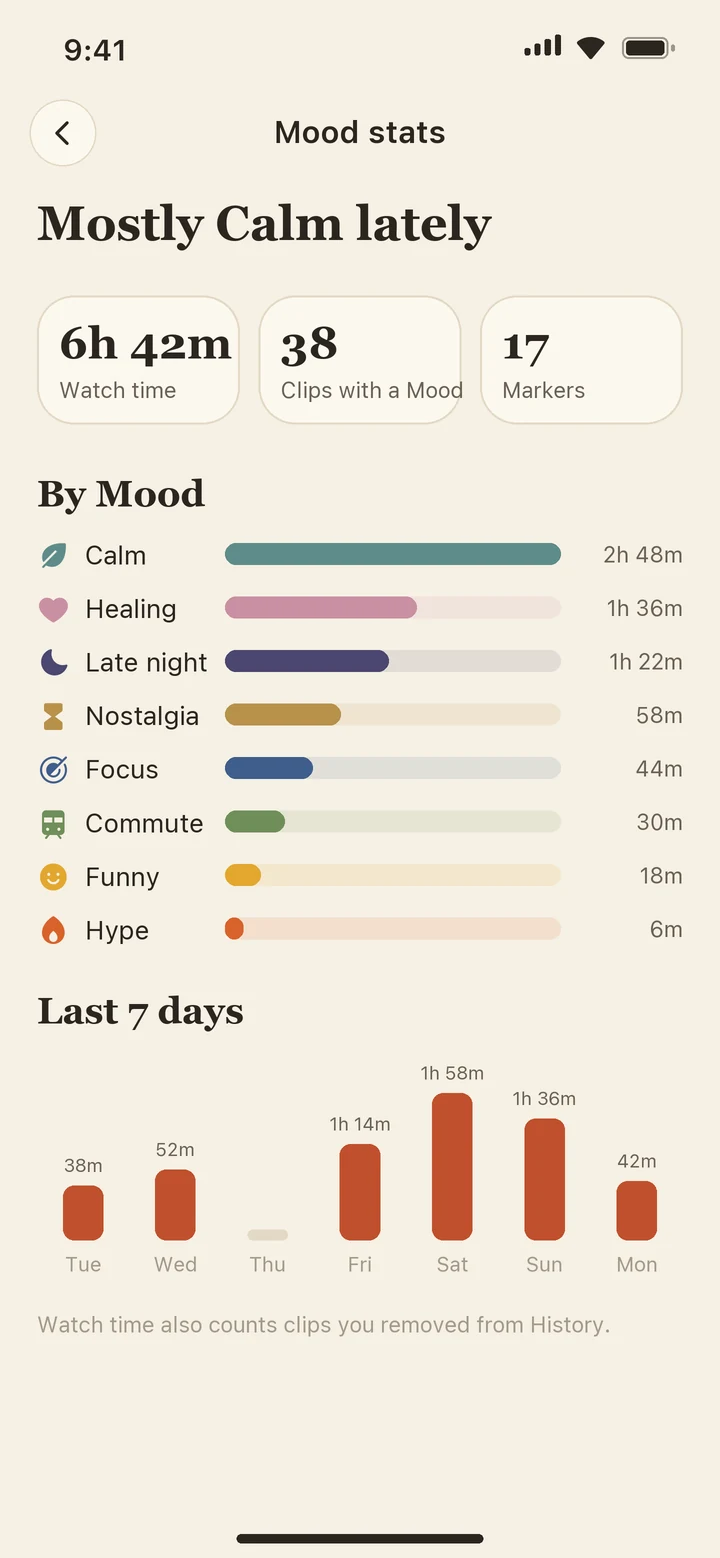
    See how much you watched under each Mood, and on which days.

    Calm2h 48m
    Healing1h 36m
    Late night1h 22m
    Nostalgia58m
    Focus44m

    Widgets on your Home Screen

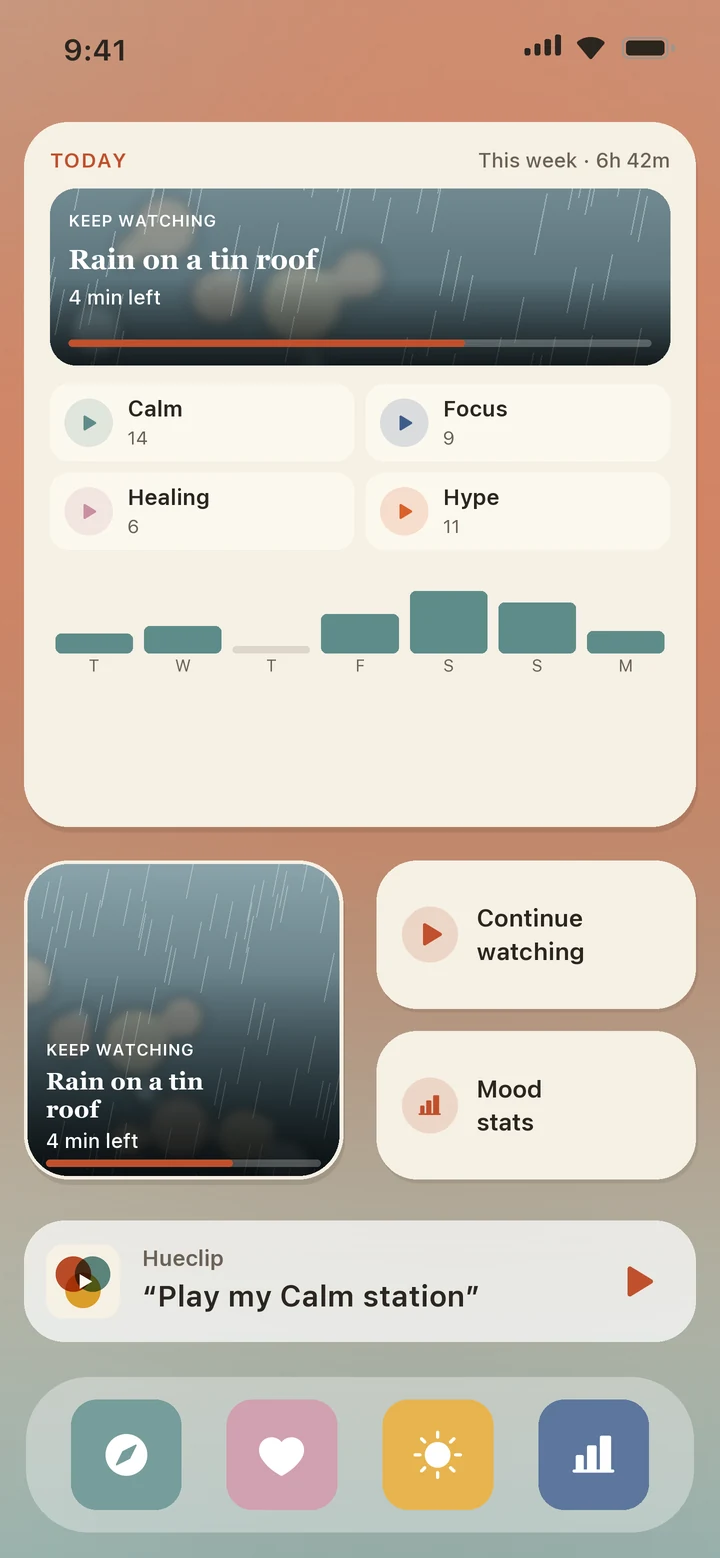
    Small, medium, large and Lock Screen sizes. They show where you stopped, your Mood stations and a week of watch time.

    KEEP WATCHINGRain on a tin roof
    ▶Calm▶Focus▶Healing

    Just ask Siri

    Shortcuts are built in. Ask Siri to start a Mood station without opening the app.

    “Play my Calm station in Hueclip”

    “Continue watching in Hueclip”

    Screens

    The app, screen by screen.

    Today, Smart Sets, the player, stats and the Home Screen widget.

    Home Screen with a large Hueclip widget and shortcuts
    Home Screen & Siri

    Pick up where you left off.

    The widget and Siri shortcuts use the same library as the app, so they know what you were watching.

    • Keep watchingThe video you were on, with time left and progress.
    • Mood stationsOne tap plays the videos under a Mood.
    • A week at a glanceSeven bars of watch time, colored by your top Mood.
    • Lock Screen widgetsRectangular, circular and inline styles.
    Principles

    Good to know.

    No ads or purchases

    This version has neither.

    Your data

    Moods, Markers and Smart Sets stay on your device.

    Report and Block

    Every curator and every video from other users has both. We review reports within 24 hours.

    Delete your account

    Do it in Settings, inside the app.

    FAQ

    Common questions

    What is a Mood?

    A label for how a video feels, like Calm, Focus or Late night. Eight are built in, and you can create your own with a name, color and icon. A video can have more than one.

    Do I have to sort everything by hand?

    You tag videos yourself, either while one plays or from its menu. Smart Sets then collect the matching videos on their own.

    What can a Smart Set filter on?

    Moods (any of them or all of them), length (under 5 minutes, 5 to 20, over 20), videos you have not finished, and videos you watched in the last few days. Videos join and leave the set as you tag and watch.

    Where is my data stored?

    Your Moods, Markers and Smart Sets stay on your device. Videos you import from Photos may be uploaded to our servers so they can play back and be checked for content that breaks our Terms. The Privacy Policy has the details.

    Can I download videos from other apps or websites?

    No. Hueclip does not download or save videos from other apps or websites. You can import videos from your own Photos library.

    Is Hueclip free?

    Yes. This version has no ads and no in-app purchases.

    How do I add the widget or use Siri?

    Touch and hold the Home Screen, tap +, and choose Hueclip. For Siri, say “Play my Calm station in Hueclip”, or find Hueclip in the Shortcuts app.

    How do I report or block someone?

    Open the video or the curator’s page, tap Report and choose a reason, or tap Block. We review reports within 24 hours.

    How do I delete my account?

    Open Me, then Settings, then Delete Account. You do it in the app and do not need to email us.

    Which languages are supported?

    English, 中文, Türkçe and العربية.

    Need help?

    Write to us at support@hueclip.com or open the Support page. We read every message.

    Go to Support